
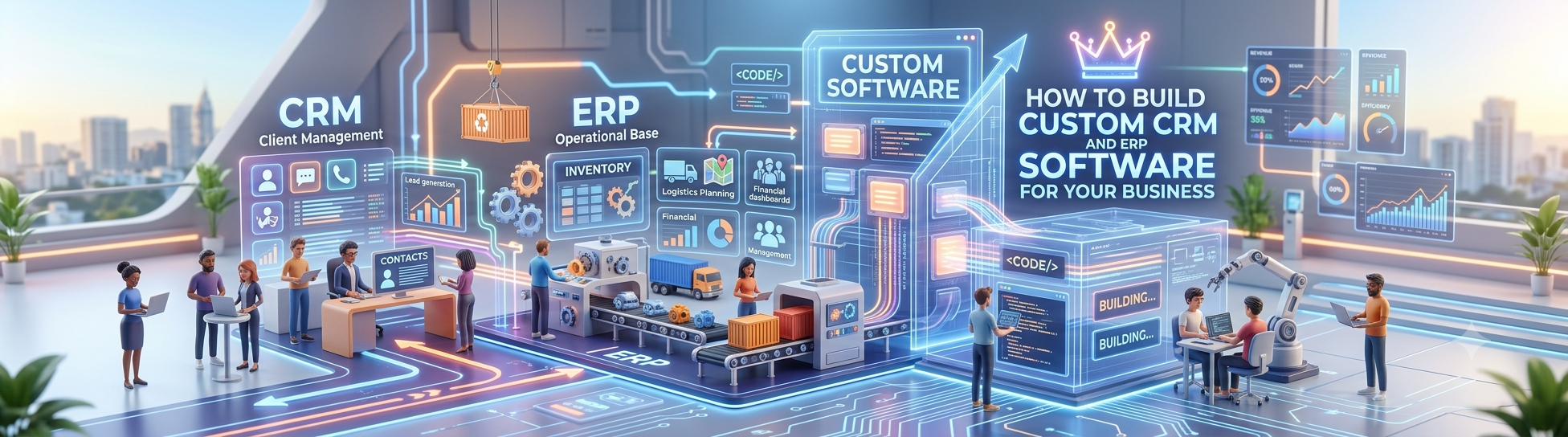
As a business grows, managing customers, sales, employees, inventory, finance, operations, and reports through separate tools can quickly become difficult. Teams often end up switching between spreadsheets, messaging apps, accounting software, CRM platforms, and other systems just to complete one business process. This creates duplicate data, delays, and limited visibility into what is actually happening inside the business.
This is where Custom CRM and ERP Software can make a significant difference. Instead of changing your business processes to fit an off-the-shelf platform, custom software can be designed around the way your company actually works. CRM capabilities can manage customer relationships and sales, while ERP capabilities can connect internal operations and business resources within one system.
Building custom software, however, is more than simply developing a dashboard with multiple features. The system needs to solve real operational problems, connect departments, protect business data, and remain flexible as the company grows.
What Is Custom CRM and ERP Software?
Custom CRM and ERP Software combines customer relationship management with enterprise resource planning in a solution designed specifically for a particular business. A CRM generally focuses on customers, leads, sales activities, communication, and relationship management. ERP Software, on the other hand, typically connects internal functions such as inventory, purchasing, finance, employees, production, projects, or operations.
When these capabilities operate together, information can move between departments without requiring employees to repeatedly enter the same information. For example, when a sales representative converts a lead into a customer, the relevant information can flow into order processing, invoicing, inventory, delivery, or other operational workflows.
The biggest advantage of customization is that the software can reflect your actual business processes. A manufacturing company, distributor, service provider, construction company, or startup may all require very different workflows, even though they use similar CRM and ERP concepts.
A custom solution can therefore be built around:
- Your sales and customer management process
- Your internal approval and operational workflows
- Industry-specific requirements
- Existing software and third-party integrations
- Your reporting and management requirements

Why Businesses Choose Custom CRM and ERP Software
Many businesses initially choose ready-made CRM Software or ERP Software because it is faster to start with. However, as operations become more complicated, limitations can appear. Businesses may find themselves paying for features they never use while simultaneously needing additional functionality that the platform does not provide.
Customization becomes particularly useful when your business has unique workflows or when multiple departments need to work from the same information. Instead of maintaining separate systems for sales, operations, inventory, accounts, and management, businesses can create connected workflows within a centralized platform.
Another important consideration is scalability. A startup may initially need only lead management and basic sales tracking. As it grows, it may require quotations, orders, inventory, employee management, accounting integrations, customer support, dashboards, and automated notifications. Custom software can be developed progressively to accommodate these changing requirements.
Common reasons businesses consider a custom CRM and ERP system include:
- Multiple departments working with disconnected software
- Repetitive manual data entry and spreadsheets
- Difficulty tracking leads and customer communication
- Limited visibility into business performance
- Industry-specific workflows that standard software cannot handle
How to Plan a Custom CRM and ERP Software Project
The most important stage of development happens before writing code. A software project can fail even when the technology works perfectly if the system does not solve the right business problems.
Start by documenting how work currently happens. Talk to the people who handle sales, customer service, operations, finance, inventory, HR, and management. Identify where information enters the business, where it is stored, who uses it, and where delays or errors occur.
The objective should not be to automate everything immediately. Instead, prioritize workflows that have the greatest operational impact. For example, if sales teams lose leads because follow-ups are missed, lead management and automated follow-ups may be more important initially than building an advanced reporting module.
A practical planning process includes:
- Identify business problems and operational bottlenecks
- Map existing workflows department by department
- Define users, roles, permissions, and responsibilities
- Prioritize essential features for the first release
- Define integrations, reports, automation, and future requirements
Key Features to Include in Custom CRM and ERP Software
The features you need depend on your industry and business model. A service company may prioritize leads, projects, invoices, and customer communication, while a manufacturing business may require inventory, procurement, production planning, and quality management.
The CRM side should give sales and customer-facing teams a complete view of prospects and customers. Employees should be able to understand where a lead came from, what communication has occurred, what actions are pending, and where the opportunity stands in the sales pipeline.
The ERP side should connect important internal processes. When these modules are integrated correctly, management can obtain a more complete view of the business instead of relying on reports collected manually from different departments.
Depending on your requirements, a system may include:
- Lead, contact, customer, and sales pipeline management
- Quotations, orders, invoices, payments, and financial workflows
- Inventory, purchasing, suppliers, and stock management
- Employee, attendance, task, project, or service management
- Dashboards, reports, notifications, automation, and approvals
How the Custom CRM and ERP Development Process Works
A professional development process usually starts with discovery and requirement analysis. The development team needs to understand your business model, users, workflows, data, integrations, and long-term objectives before finalizing the system architecture.
The next stage involves designing the database, user roles, workflows, interfaces, and technical architecture. At this point, it is useful to create prototypes or wireframes so business users can review how the system will work before extensive development begins.
Development can then be divided into modules. Instead of attempting to build the entire platform simultaneously, teams can develop, test, and validate individual components. This approach makes it easier to identify problems early and incorporate feedback from actual users.
A typical development journey includes:
- Business discovery and requirement analysis
- UI/UX design and workflow planning
- Database and software architecture
- Module development and third-party integrations
- Testing, deployment, training, and ongoing improvements
Custom CRM and ERP Software vs Ready-Made Software
Ready-made CRM and ERP platforms can be useful when your requirements closely match their existing functionality. They can offer a relatively quick implementation and may provide a broad collection of standard business features.
Custom development takes a different approach. Instead of selecting from predefined workflows, the business defines what the software should accomplish. This can be particularly valuable for organizations with specialized processes, multiple departments, or requirements that change frequently.
The right choice depends on factors such as business complexity, budget, implementation timeline, integrations, customization requirements, and long-term objectives. Custom software should not be selected simply because it sounds more advanced; it should be considered when customization provides meaningful operational value.
Important factors to compare include:
- Degree of workflow customization required
- Integration requirements with existing tools
- Scalability and future expansion
- Data ownership and system control
- Total cost of ownership over the long term
How AI and Automation Can Improve CRM and ERP Software
Modern CRM and ERP Software can go beyond storing business information. AI and automation can reduce repetitive work and help employees make better use of the information already available inside the system.
For example, automated workflows can assign leads, remind sales representatives about follow-ups, generate notifications, trigger approval processes, or update records when specific conditions are met. AI capabilities can potentially assist with tasks such as summarizing customer interactions, identifying patterns in business data, generating reports, or helping users find information through natural-language queries.
However, AI should be introduced around genuine business use cases rather than added simply as a marketing feature. The underlying data, permissions, workflows, and integrations need to be reliable before advanced automation can deliver meaningful results.
Potential applications include:
- Automated lead assignment and follow-up reminders
- AI-assisted customer and sales summaries
- Automated reports and management notifications
- Intelligent data search and business insights
- Workflow automation between CRM and ERP modules

How Much Does Custom CRM and ERP Software Cost?
There is no single price for custom CRM and ERP Software because development costs depend heavily on the scope. A system for a small service business with CRM, invoicing, task management, and dashboards will require a very different investment from a large platform involving inventory, procurement, production, accounting, HR, multiple branches, and complex integrations.
The number of users, modules, integrations, security requirements, design complexity, mobile applications, AI functionality, and ongoing support can all influence the total development cost.
For this reason, businesses should avoid choosing a development partner based solely on the lowest initial quotation. The more useful question is whether the proposed system clearly addresses the business requirements and provides a practical path for future expansion.
Factors affecting development cost include:
- Number and complexity of modules
- Number of users and business locations
- Integrations with payment, accounting, communication, or other platforms
- AI, automation, analytics, and reporting requirements
- Maintenance, support, hosting, and future customization
Final Thoughts
Building Custom CRM and ERP Software is ultimately a business transformation project, not just a technology project. The objective is to bring customer management, internal operations, business data, and automation into a connected environment that supports the way your organization works.
For small businesses and growing companies, the biggest opportunity may be eliminating fragmented processes and creating a single source of reliable business information. For larger organizations, customization can help connect complex workflows across departments, branches, and teams.
If your current CRM Software and ERP Software are disconnected, your employees are heavily dependent on spreadsheets, or your existing platform cannot adapt to your workflows, it may be time to evaluate a custom solution. A properly planned CRM and ERP system can be developed around your current requirements while leaving room for future modules, integrations, automation, and AI capabilities.
The best starting point is a detailed discussion of your existing processes, challenges, and business goals. From there, you can define the modules, workflows, integrations, and development roadmap needed to create software that genuinely fits your business.