
When people think about creating a website, they often focus on how it looks. While visual appeal is important, an attractive website alone cannot guarantee success. A website must also be easy to navigate, intuitive to use, and capable of guiding visitors toward taking action. This is where understanding UI vs UX Design becomes essential.
Many business owners, startups, and entrepreneurs use the terms UI and UX interchangeably. However, they represent two different aspects of the digital experience. A beautiful interface with poor usability frustrates visitors, while a highly functional website with outdated visuals may struggle to build trust.
Whether you’re planning a new website design or redesigning an existing one, understanding the UI vs UX design difference can help you create a website that not only attracts visitors but also converts them into customers.
What is UI Design?
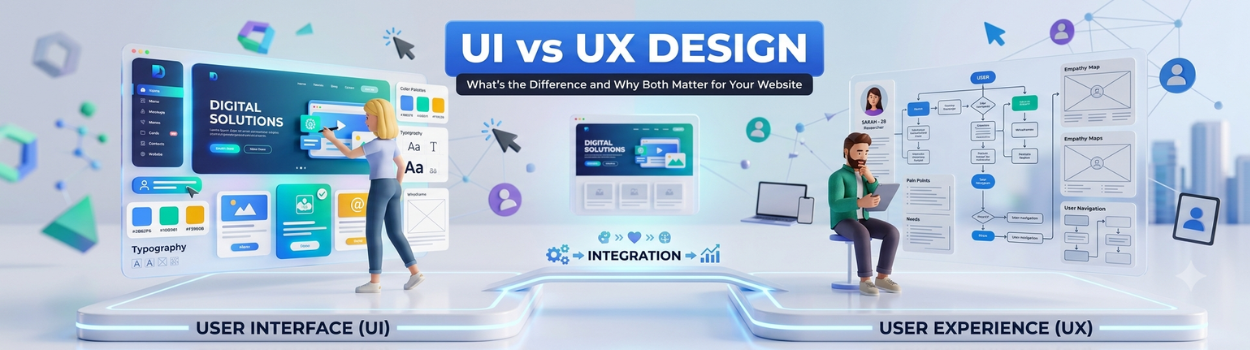
UI (User Interface) Design refers to the visual elements users interact with on a website or application. It focuses on presentation, appearance, and aesthetics.
A UI designer ensures that every screen looks professional, consistent, and aligned with the brand identity.
- UI Design Includes
- Color palette
- Typography
- Buttons
- Icons
- Images
- Layout structure
- Navigation menus
- Forms
- Animations
- Visual consistency
Think of UI as the “look and feel” of your website.
Imagine entering a premium retail store. Clean displays, attractive lighting, organized shelves, and elegant branding immediately create a positive impression. That’s exactly what UI does for your digital presence.

What is UX Design?
UX (User Experience) Design focuses on how users interact with a website and how easy it is for them to complete their goals.
Instead of asking:
- “Does this website look good?”
UX asks:
- “Can visitors easily find what they’re looking for?”
Good UX removes obstacles and makes every interaction simple, intuitive, and enjoyable.
UX Design Includes
- User research
- Website planning
- Information architecture
- Navigation flow
- Wireframing
- User journey mapping
- Accessibility
- Mobile usability
- Speed optimization
- Conversion optimization
UX is about solving problems before they frustrate users.
UI vs UX Design: Understanding the Difference
| UI Design | UX Design |
|---|---|
| Focuses on appearance | Focuses on user experience |
| Creates visual design | Creates user flow |
| Uses colors, typography, icons | Uses research and usability testing |
| Makes the website attractive | Makes the website easy to use |
| Concerned with aesthetics | Concerned with functionality |
| Builds brand perception | Builds customer satisfaction |
The simplest way to understand UI vs UX Design is this:
- UI determines how your website looks.
- UX determines how your website works.
Both are equally important.
Why UI Alone Isn't Enough
Many businesses invest heavily in beautiful graphics but ignore usability.
A visually impressive website can still fail if users struggle to navigate it.
Common examples include:
- Hidden contact information
- Confusing navigation
- Slow-loading pages
- Too many pop-ups
- Difficult checkout process
- Unclear call-to-action buttons
Even if visitors love your design, they may leave before becoming customers.
Why UX Alone Isn't Enough
Now imagine the opposite.
A website loads quickly and is easy to navigate, but it looks outdated, cluttered, or unprofessional.
Visitors may question your credibility before exploring your services.
People naturally judge businesses based on first impressions.
Poor visual design can reduce trust, even if the experience is technically excellent.
Why UI vs UX Design Matters for Your Website
Successful website design combines both UI and UX to create a seamless digital experience.
Together they help:
- Improve user satisfaction
- Increase website engagement
- Reduce bounce rates
- Build brand trust
- Improve SEO performance
- Increase lead generation
- Boost conversions
- Encourage repeat visitors
Businesses that balance UI and UX create websites that work as powerful marketing assets rather than just online brochures.
Signs Your Website Needs Better UI
Your interface may need improvement if visitors say your website feels outdated.
Other warning signs include:
- Inconsistent fonts
- Poor color combinations
- Small buttons
- Low-quality images
- Cluttered layouts
- Lack of visual hierarchy
- Poor mobile appearance
- Unclear branding
Improving UI immediately enhances professionalism and first impressions.
Signs Your Website Needs Better UX
Poor user experience often causes visitors to leave without taking action.
Watch for these signs:
- High bounce rate
- Low conversion rate
- Visitors abandoning forms
- Difficult navigation
- Long checkout process
- Slow page speed
- Confusing menu structure
- Low average session duration
A UX audit often reveals problems that directly impact revenue.

How UI and UX Work Together
Think of building a house.
UI is:
- Interior decoration
- Paint colors
- Furniture
- Lighting
- Flooring
UX is:
- Floor plan
- Room arrangement
- Door placement
- Stair design
- Accessibility
A luxurious interior cannot compensate for a poor floor plan.
Similarly, an outstanding user experience deserves an attractive interface.
This perfectly explains UI vs UX Design.
Benefits of Combining UI and UX
Businesses that invest in both enjoy measurable advantages.
- Better User Engagement: Visitors stay longer because they enjoy browsing the website.
- Higher Conversion Rates: Simple navigation helps users complete purchases, submit inquiries, or book appointments.
- Stronger Brand Trust: Professional design builds confidence in your business.
- Improved SEO Performance: Search engines value websites that provide excellent user experiences.
- Good UX contributes to:
- Lower bounce rates
- Better Core Web Vitals
- Faster loading
- Mobile responsiveness
- Longer session duration
These factors indirectly support better search rankings.
Better Mobile Experience
Most users browse from smartphones.
Combining UI and UX ensures your website design performs well on every screen size.
Real-World Example of UI vs UX Design
Imagine two restaurant websites.
Website A
- Beautiful colors
- Premium photography
- Stylish fonts
But:
- Menu is difficult to find
- Reservation button is hidden
- Pages load slowly
Visitors become frustrated.
Website B
- Clean layout
- Easy navigation
- Fast loading
- Clear reservation button
- Simple contact options
Even with simpler visuals, users can quickly complete their goal.
Now imagine combining the strengths of both websites.
That’s the power of excellent UI vs UX Design.
Best Practices for Better UI
To create an attractive interface:
- Maintain consistent branding
- Choose readable fonts
- Use high-quality visuals
- Keep layouts clean
- Maintain spacing
- Highlight important buttons
- Use accessible color contrast
- Design for mobile first
Best Practices for Better UX
For a better user experience:
- Simplify navigation
- Reduce unnecessary clicks
- Improve page speed
- Make forms shorter
- Use clear headings
- Organize content logically
- Test with real users
- Ensure accessibility compliance
Good UX removes friction at every stage of the customer journey.
Common Mistakes Businesses Make
Many businesses unknowingly weaken their website design by making avoidable mistakes.
These include:
- Prioritizing appearance over usability
- Ignoring mobile users
- Using too many animations
- Cluttered navigation
- Weak call-to-action buttons
- Poor page hierarchy
- Slow-loading images
- Inconsistent branding
Avoiding these mistakes improves both UI and UX.
Final Thoughts
Understanding UI vs UX Design is essential for any business that wants to succeed online. While UI shapes the visual identity of your website, UX ensures every visitor enjoys a smooth, intuitive, and frustration-free experience. Focusing on only one aspect can limit your website’s potential, but combining both creates a digital presence that attracts attention, builds trust, and drives meaningful results.
Whether you’re launching a new website design or improving an existing one, recognizing the UI vs UX design difference allows you to make smarter decisions that enhance user satisfaction and increase conversions. A website that looks great and works effortlessly doesn’t just impress visitors—it supports your business goals by turning traffic into loyal customers.
Investing in both UI and UX is an investment in your brand’s long-term growth, helping your business stay competitive in today’s digital landscape while delivering the experience modern users expect.

